GPU-Z 2.71.0
GPU-Z allows you to view data from your graphics card, such as model, video memory and available sensors.

Get a clearer view of your computer, files and storage. Here you will find search tools, archive utilities and tools for viewing hardware information. Start with a specific task: examining disk usage is different from automatically deleting files. Before using cleanup or installation tools, read what the selected action will do.
98 downloads found
GPU-Z allows you to view data from your graphics card, such as model, video memory and available sensors.
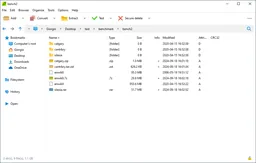
Double Commander gives you two file windows, tabs and tools for search, archives and rename.
You charge processor, video card and memory to make stability problems visible and track sensor data.
You use a collection of Windows tools for startup items, program removal and recovery of cleanup options.
With PeaZip open and create archives in different formats.
With balenaEtcher you write an operating system image to an SD card or USB stick and check the result.
qBittorrent manages BitTorrent downloads with queues, speed limits, magnet links and extensive settings.
You can see which files and folders take disk space in an overview of colored blocks.
Unpack archives and create compressed files with NanaZip. You get a 7-Zip-based archive manager for Windows.
With KDiskMark, you measure reading and writing speeds of storage on Linux with adjustable tests and a clear result.
7-Zip lets you extract downloaded archives and bundle individual files into a single archive.
Bulk Crap Uninstaller gives you overview of installed Windows software and allows you to uninstall multiple programs in a row.
With CPU-Z you can read data about your processor, motherboard and working memory.
With CrystalDiskInfo, view information and health reports from supported hard drives and SSDs.
CrystalDiskMark measures reading and writing speeds of a storage device.