
Version 11.3.0 · LGPL-3.0-only · Windows · macOS · Linux
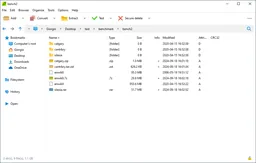
Looking for an alternative to PeaZip?Compare 7-Zip.Compare alternativesWith PeaZip open and create archives in different formats. You can bundle files, set compression and use encryption in appropriate formats. The file view helps to view content before unpacking.
You can choose an archive that fits your purpose. For easy sharing, a common format is often more important than the smallest file size. Keep a password carefully when you secure an archive.
Download PeaZip
Downloads are available for Windows, macOS, Linux.
Compare PeaZip with alternatives
Choose an archive program on the formats you want to open and create, the operation and any encryption. An app can unpack more formats than create. If you want to share an archive, choose a format that the recipient can open and take into account the compatibility of password protection.
| Software | What can it do? | Platform and licence |
|---|---|---|
| PeaZipYou are viewing this app | You manage archives with a graphical interface, multiple formats and batch processing functions. That's an alternative if you want more file management around your archives. | Windows, macOS, LinuxLGPL-3.0-only |
| 7-ZipView this alternative | You create 7z and ZIP archives, among other things, and unpack many other formats. You get a lot of control over compression and encryption in a compact Windows interface. | WindowsBSD-2-Clause, BSD-3-Clause, LGPL-2.1-or-later |

Choose an alternative to explore its features, system requirements and download options.
Who is it for?
This is useful if you receive many different archives or want to compile packages yourself. It also suits you if you want to automate archive tasks later. To save multiple historical copies, you also need to have a backup strategy; an archive manager does not automatically keep track of your entire recovery plan.
Getting started
Unpack new archives first in a separate folder. Test a homemade archive before deleting the original files.
Privacy
You can create local archives and choose encryption for appropriate formats. Security depends on the chosen format and password. Send passwords separately and store any key files carefully. An encrypted archive becomes readable as soon as you unpack it; so check the destination.
Good to know
Not every format supports the same functions. All compressed photos and videos usually don't get much smaller.
Please note
Not every size you can open, you can also create your own. A strong compression can take a lot of time and memory. Check unknown content before starting a program. Save originals until you have established that the archive is complete and usable.
Advantages
- You get access to many archive formats and adjustable compression.
- You can combine local processing with encryption.
- Reusable task settings and script capabilities support recurring archive work.
Things to consider
- The amount of options requires knowledge of format and purpose.
- Compatibility with the receiver remains a focus.
- Encrypted storage does not solve missing backups or unsafe unpacked files.
Download PeaZip
The download page opens in a new tab.
Provider’s website · peazip.github.io
Version history
11.3.0 Security
You get better ZPAQ support and mandatory master password protection for the built-in password manager.
- The integrated password manager now requires a master password.
- You can check PEA archives with a new test function and use a new Open with window via Shift+F12.
- The archive parts have been updated to 7z/p7zip 26.03 and Pea 1.33. The issue contains multiple security corrections.
11.2.0
You will find features faster and get improvements for drag and shortcuts.
What’s new?
- With F12 you can search for functions and apply them to your selection.
- You get improved keyboard shortcuts, drag and automatically refresh the file window.
- You can open ZIM archives, such as offline data collections from Wikipedia.
Report a new version
Our verdict
PeaZip is suitable if you want to manage different archive formats and have more control over wrapping, unpacking and file operations. You get a graphical environment over multiple compression techniques. The consideration is simplicity versus choice: for one ZIP file you need few settings, but with recurring archive tasks that extra check can be useful.
Based on what you often do, choose: wide exchange, manage archives or keep them secure. For a receiver without any additional software, accessibility is more important than a small compression profit. When using password, also check the visibility of names. Extracting a trial archive to another folder gives more certainty about the selected settings than just a successful creation notification.
Ratings
No ratings yet. Share your experience.
Log in to rate this software.
Comments
Share your experience. Comments appear after approval.
No comments yet.