
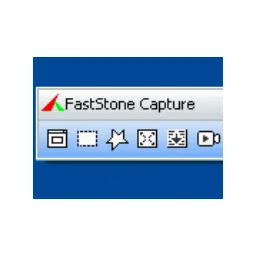
FastStone Capture
You create screenshots and screen videos on Windows and finish images with a built-in editor.
Developer FastStone Corporation
Version 11.3 · Paid · Windows
Looking for an alternative to FastStone Capture?Compare Snagit, Ashampoo Snap, PicPick, Spectacle.Compare alternativesFastStone Capture combines different screenshot shapes with screen shots. You can capture an area, window or supported scrolling content. The editor will then help you with text, markings and other explanations.
The current execution has been paid with a trial period. During that period check whether scrolling recordings and video output work in your programs. For extensive video editing, a separate editor remains necessary; this app focuses on capture and simple finishing.
Compare FastStone Capture with alternatives
For screenshots, shortcuts, markings and the destination of the image are important differences. See if you only want to capture a region or also need scrolling pages and automatic actions. An automatic upload can share sensitive screen content; therefore, check your set storage target.
| Software | What can it do? | Platform and licence |
|---|---|---|
| FastStone CaptureYou are viewing this app | You create screenshots and screenshots in a compact Windows tool with additional editing. See if the paid functions connect to your recording work. | WindowsPaid |
| SnagitView this alternative | You capture screens and edit them with extensive annotation and instruction functions. You pay for a package that focuses on documentation and explanation. | Windows, macOSPaid |
| Ashampoo SnapView this alternative | You create and edit screen shots with arrows, text and other explanations. You choose this Windows app if you want to combine recording and annotation. | WindowsPaid |
| PicPickView this alternative | You combine screenshots with an image editor and tools like a color picker. Check the terms of use if you want to bet the app in business. | WindowsFree for personal use |
| SpectacleView this alternative | You create screenshots within KDE Plasma and use the features that support your desktop version. The connection to KDE shortcuts and parts can be decisive. | LinuxOpen source |




More alternatives to FastStone Capture (1)
-
TPUCapture
You set a selected screen area with a shortcut in a small Windows tool. That's aimed at fast screenshots without extensive post-processing.
Windows · Free to use
Choose an alternative to explore its features, system requirements and download options.
Who is it for?
Getting started
Privacy
Good to know
Please note
Advantages
- Screenshots and video in one tool Built-in Image Editor Scrolling recording where supported
Things to consider
- Paid after trial period Windows as a platform No extensive video editing
Download FastStone Capture
The download page opens in a new tab.
Provider’s website · www.faststone.org
Version history
11.3
You can only record sound and work more accurately with small images.
Report a new version
More from FastStone Corporation

FastStone Image Viewer 8.5
View and compare your photos on Windows with FastStone Image Viewer.

FastStone MaxView 3.5
You view images and stripperchieven in a compact Windows viewer.

FastStone Photo Resizer 4.5
You shrink, convert and rename multiple images in one operation.
Our verdict
FastStone Capture is interesting when you need both an image and a short video on a regular basis. You can use the same tool for an error message and for an action you want to show. The compact design fits with such a recurring tool next to your regular work.
The trial period is particularly useful to check compatibility. A scrolling recording can unpack differently per app, and audio settings deserve a real trial. For long productions with multiple video layers, an editor is more suitable. If you mainly capture and finish lightly, this combination can be more clear than several separate programs.
Ratings
No ratings yet. Share your experience.
Log in to rate this software.
Comments
Share your experience. Comments appear after approval.
No comments yet.