

Direct Folders
You jump from Windows windows to open and save quickly to your favorite folders.
Developer Code Sector
Freemium · Windows
Direct Folders adds a menu with favorite and recent folders to Windows. You can evoke it by double clicking on an empty part of a supported window. So you don't have to run the same deep nested folders over and over again.
The app can expand file windows by default and switch to a folder that you have already opened in Explorer, Total Commander or Directory Opus. Some features, such as a default folder per app, are part of Pro.
Get more from Direct Folders
A fixed list of commonly used folders helps when projects are scattered across different locations. Use recognizable names so that you do not accidentally save in an old project or a shared folder. Also check that a network destination is accessible at that time.
The tool mainly changes the navigation to a folder. It does not automatically control access rights, synchronization or backups. A fast-chosen storage location still deserves a short check of path and file name before saving.
Version and updates
For Direct Folders, check the version number of the release you are actually installing.
Who is it for?
Getting started
Privacy
Good to know
Please note
Advantages
- Faster to fixed folders Recent locations at hand Multi-file manager support
Things to consider
- Not every custom dialog works the same Some features require Pro
Download Direct Folders
The download page opens in a new tab.
Provider’s website · codesector.com
Version history
No previous versions are listed yet.
Report a new version
More from Code Sector

AudioField
You record voice and sound with adjustable audio formats on Android.
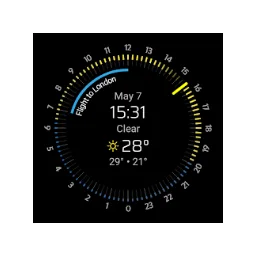
Nomad Watchface Pro
You are viewing weather forecast and upcoming appointments on a Wear OS dial.

SpeedView
You're looking at speed, distance and travel direction based on GPS on Android.

TeraCopy 4.0.3 Build 2
With TeraCopy copy and move your files with a queue, error overview and control of the file contents.
Our verdict
Direct Folders is especially useful when working with the same project folders every day. The profit is in fewer navigation steps when opening and storing, not in any other way of saving files.
Create a small list of folders that you really often use. A long favorite menu can cause search again. Check the operation in your main programs, as apps with their own file window can react differently. For occasional use, quick access and recent folders from Windows itself may be sufficient.
Ratings
No ratings yet. Share your experience.
Log in to rate this software.
Comments
Share your experience. Comments appear after approval.
No comments yet.